My First Terraform Workflow on Azure
Terraform Code for Hagital Cloud Solutions Resource Group
Using the Hagital Cloud Solutions scenario, write Terraform code that creates a Resource Group named hagitah-rg in a region of your choice.
. Run the full workflow: init, fmt validate, plan, apply.
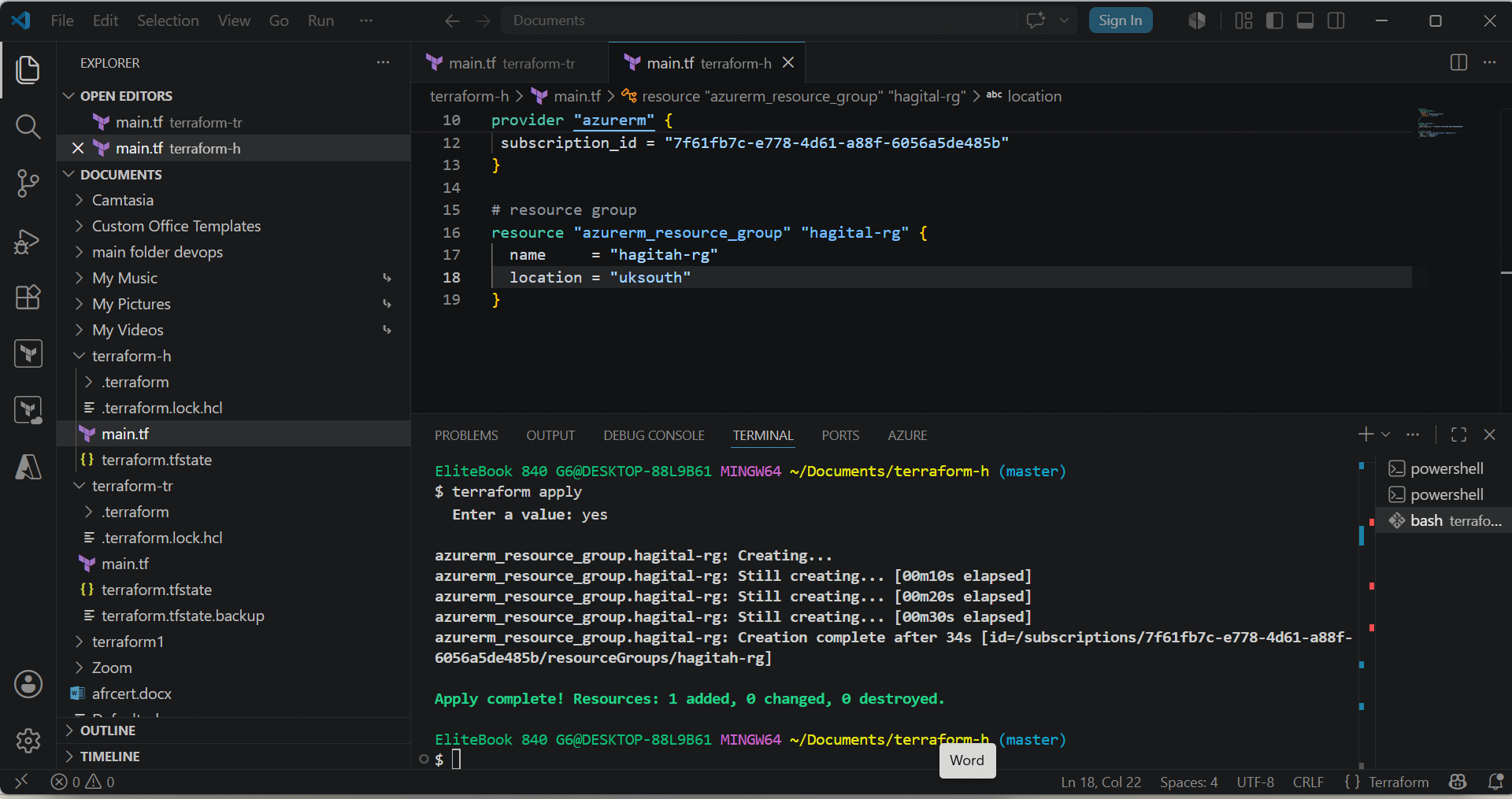
. Take screenshot of the terraform apply success message showing "Apply complete! Resource: 1 added, 0 changed, 0 destroyed."
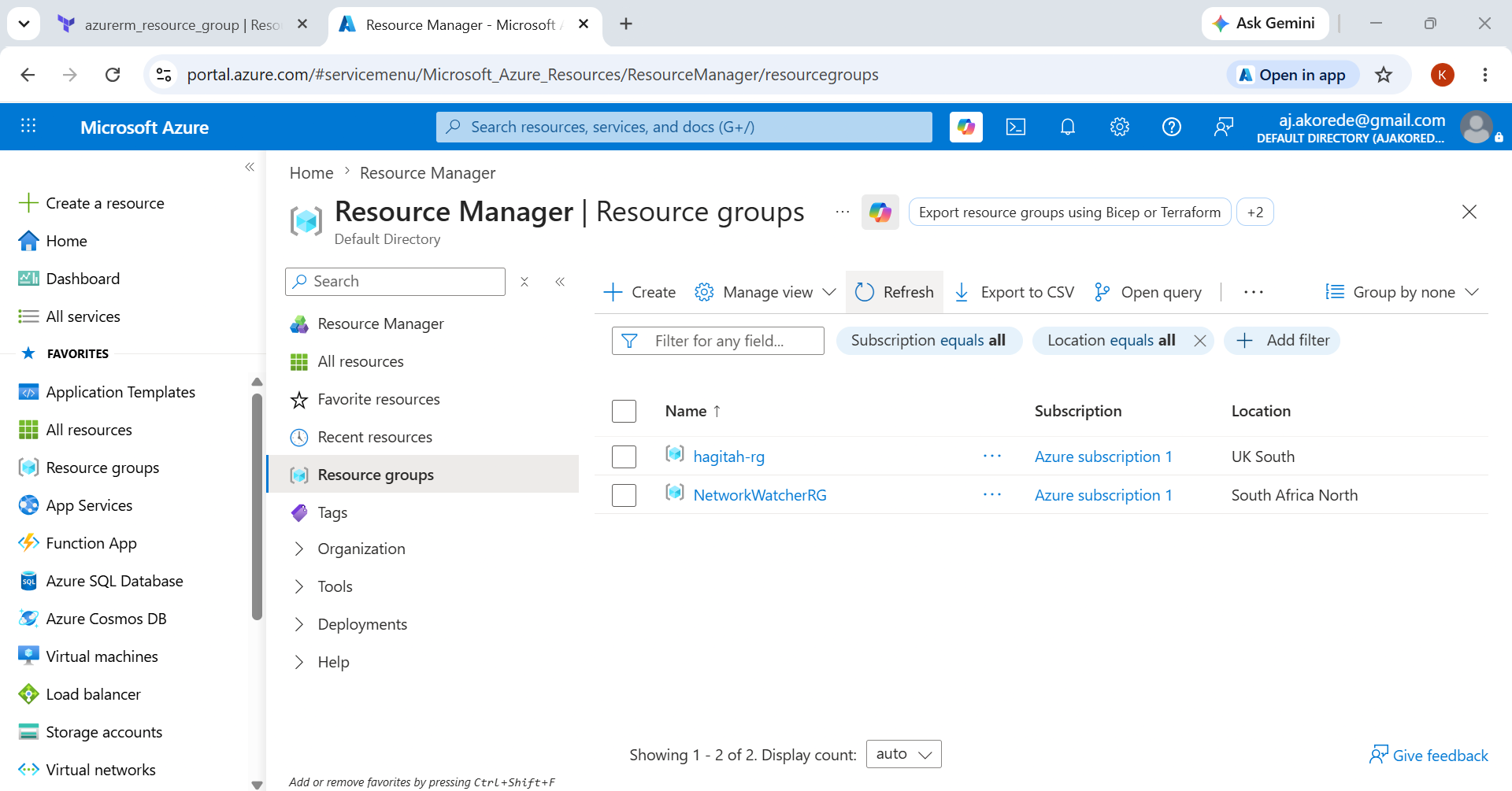
. Take screenshot of the Resource Group visible inside Azure Portal.
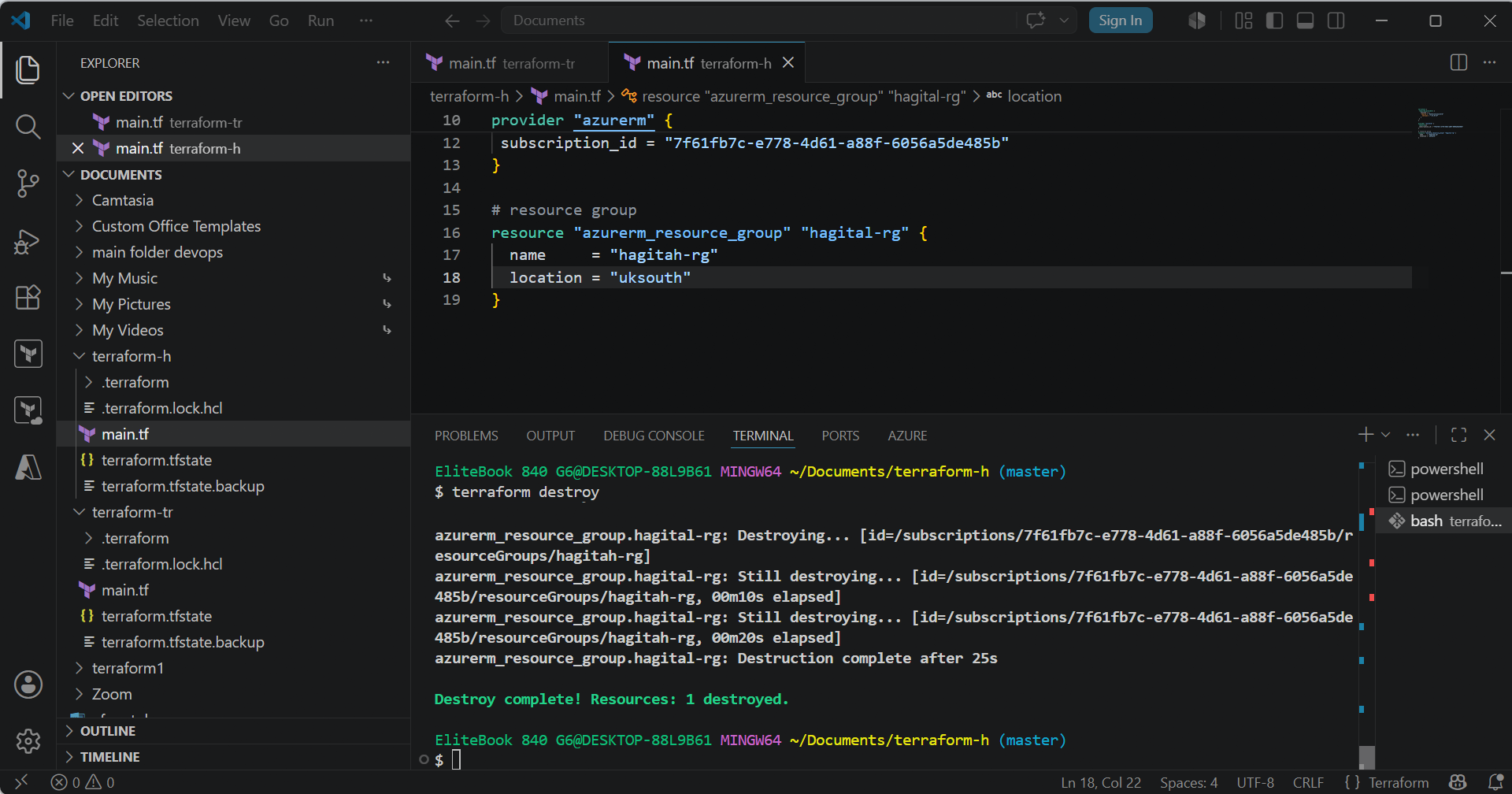
. Run terraform destroy and take a screenshot of the destroy confirmation and success message.
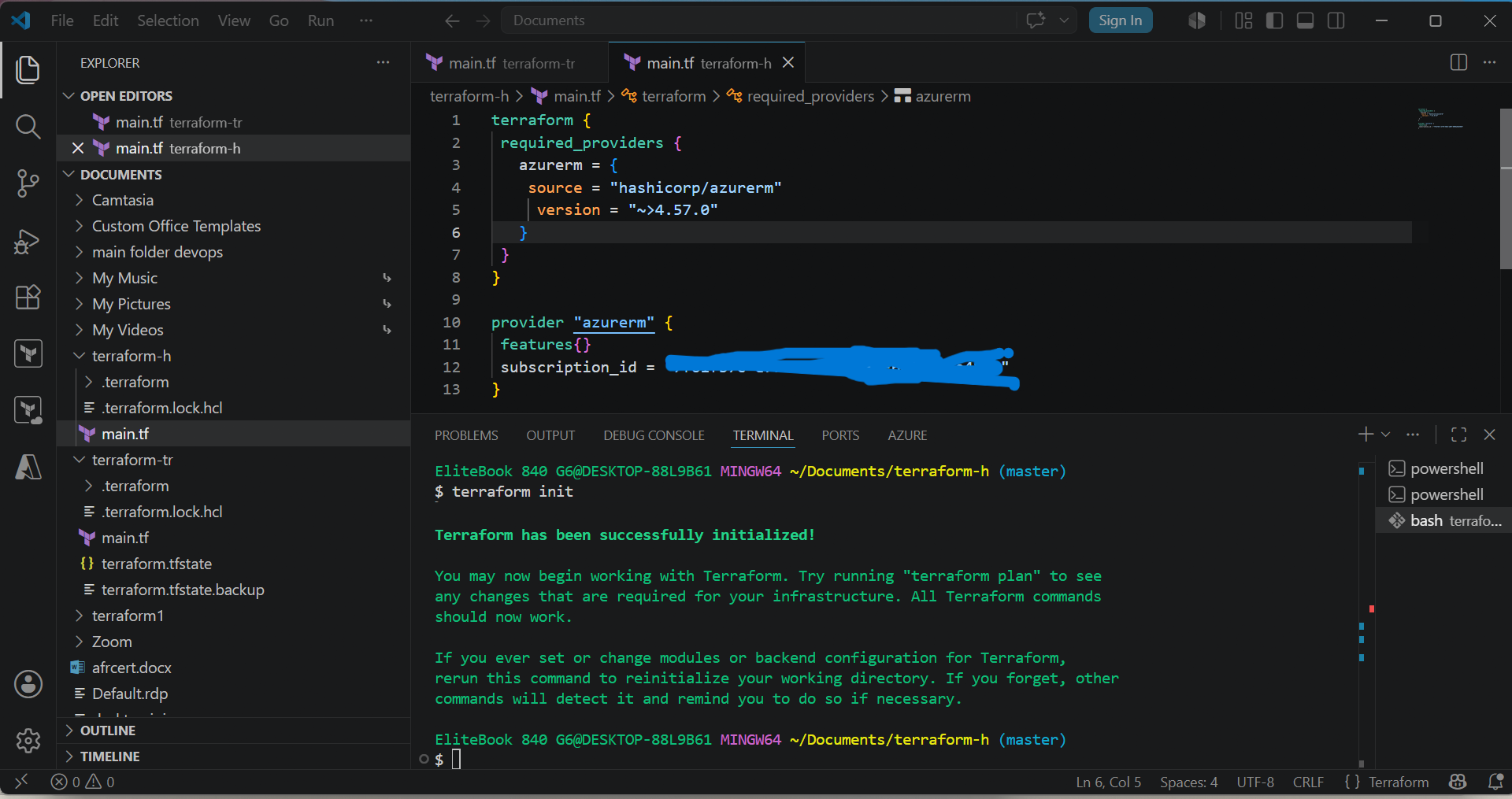
Firstly, i try to ran terraform init before it i instructed terraform syntax in provisioning the resource group then i now initialized the folder and then it was successfully initialized. Here is the image below:
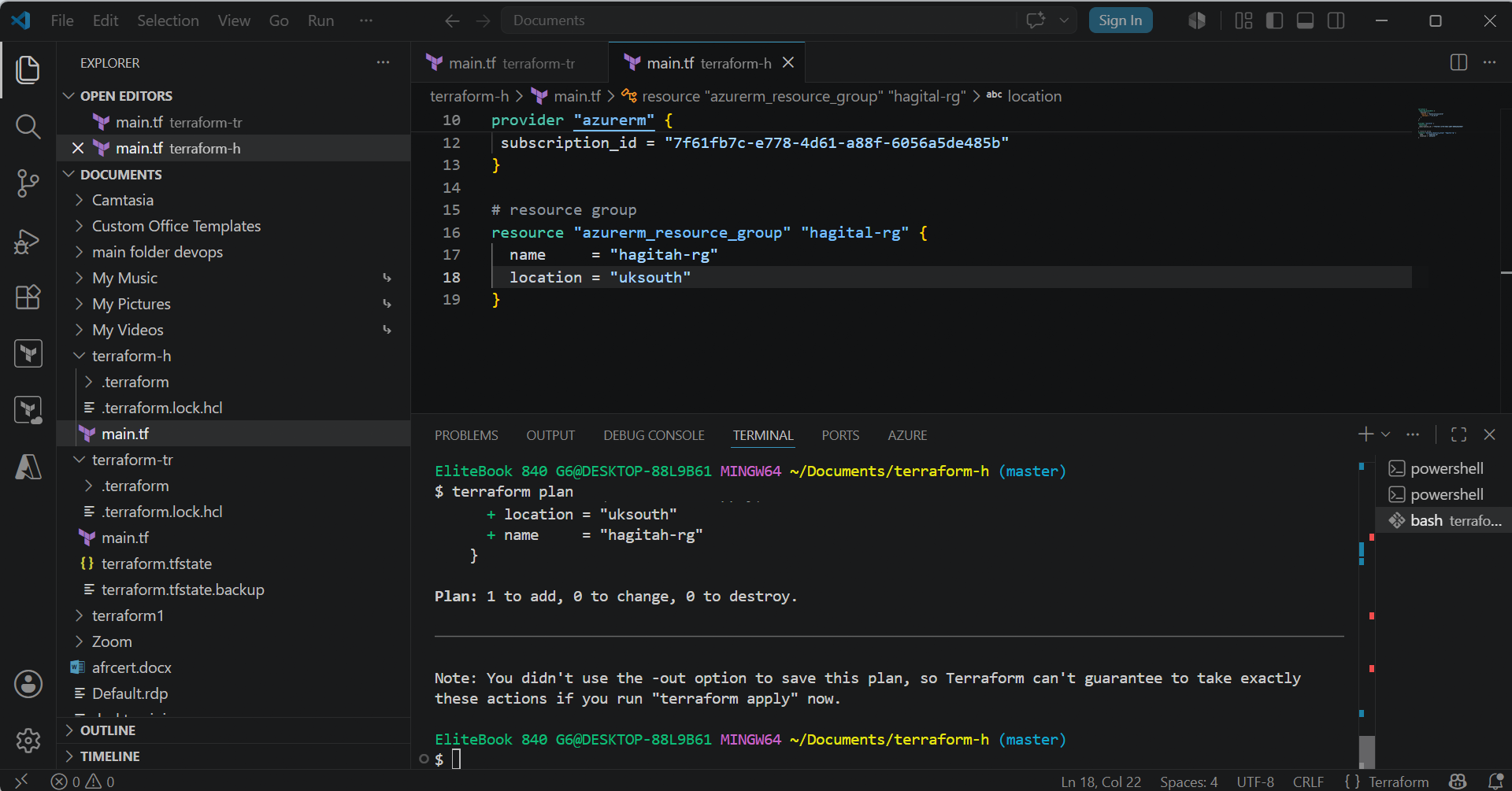
After doing terraform init , i ran terraform plan command to validate the above command whereby the plan was added 1 , 0 changed and 0 to destroyed as it's appeared bellow in the image:
As showed above which is ok, i then ran terraform apply to execute the plan resource group on Azure portal which is completed! . Here's the image below:
Immediately i went to the Azure Portal to confirmed maybe the Resource Group was created and yes, it was appeared successful after refreshed the portal. Here's the proof below:
After then i quickly teardown the Resource Group by doing terraform destroy and then the Resource Group was deleted immediately which appeared below "Destroy completely" , Here's the image below:
This is my first infrastructure as code project i worked on by using terraform tool. It's quiet interesting!
Comments
Join the discussionNo comments yet. Be the first to comment.
Terraform Basic, Terraform Workflow, Cloud Automation , Devops Practice
The series is the guide line for learners of iac terraform tool
